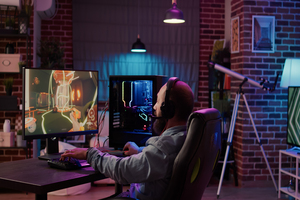
So, you've decided to start streaming on Twitch—awesome! Streaming is a great way to connect with others and share your passion. In this guide, we'll help you set up your first stream, step by step. Let’s dive in!
1. Create a Twitch Account
Before you start streaming, you’ll need a Twitch account. Here's how to create one:
- Go to Twitch.tv.
- Click the "Sign Up" button at the top-right corner.
- Fill in your information (username, password, email, and birthdate).
- Enable 2FA (Two-Factor Authentication) – you cannot stream without this!
2. Install Streaming Software
To broadcast your stream, you'll need streaming software. The gold standard is OBS Studio.
- Download OBS Studio from obsproject.com.
- Install it on your PC (Run as Administrator for best performance).
- Launch OBS once installed.
3. Connect OBS to Your Twitch Account
Next, link your software to your channel so you can go live directly.
- In OBS, go to Settings > Stream.
- Choose “Twitch” as the service.
- Click Connect Account to log in automatically (easiest method).
- Once connected, OBS will auto-configure your bitrate based on your internet speed.
4. Set Up Your Streaming Equipment
You don't need a $5,000 setup, but you do need the basics.
- Microphone: Audio is more important than video. We recommend the Blue Yeti for beginners.
- Webcam: Eye contact builds community. The Logitech C920 is the industry standard.
- Lighting: A simple Ring Light ensures you don't look grainy.
"Pro Tip: Always wear headphones while streaming to prevent your microphone from picking up game audio echoes."
5. Customize Your Stream Layout
Make your stream look unique with overlays and alerts.
- In OBS, look at the "Sources" box at the bottom.
- Right-click > Add > Video Capture Device (This is your Webcam).
- Right-click > Add > Game Capture (This captures your gameplay).
- Drag the corners of the red boxes to resize elements on your screen.
6. Test Your Stream
Before going live to the world, do a test run.
- Check your audio levels (keep your mic in the yellow zone).
- Ensure you aren't dropping frames (look at the bottom right of OBS).
7. Go Live!
Take a deep breath. Click the Start Streaming button in OBS. You are now live on Twitch!
Need Gear Recommendations?
Don't waste money on bad tech. Check out our curated list of the best budget gear for 2025.
View Beginner Setup GuideFrequently Asked Questions
How do I set up my Twitch stream?
To set up your Twitch stream, you’ll need to create a Twitch account, install OBS, connect it to your Twitch account, and then configure your mic and webcam sources.
What equipment do I need?
The essentials are a decent USB microphone, a webcam (1080p is preferred), and a stable internet upload speed of at least 5 Mbps.
